

Contact us
At Let’s Nurture, we help businesses reduce manual work, connect existing applications, and improve day-to-day operations with Workflow Automation Services.


Workflow Automation Services help businesses reduce manual work, connect software, and improve daily operations. This practical buyer’s guide explains how to choose a provider, compare costs, measure ROI, and find solutions that fit your business goals.
Workflow Automation Services help businesses automate repetitive tasks and connect applications using software, integrations, and business rules. They can streamline processes such as lead management, invoice approvals, customer support, and reporting while reducing manual effort and delays.For a broader list of processes that can be automated, see our guide on 25 business processes you can automate.
Manual processes often seem manageable when a business is small. As the company grows, however, more customers, records, approvals, and applications can create delays.
The right workflow automation solutions can help businesses:
These benefits depend on the process being automated. A poorly designed workflow can make an existing problem happen faster. That is why process optimization should come before software selection. Beyond operational efficiency, automation can also be applied to marketing workflows — learn how to use automation with digital marketing to boost profit margins.
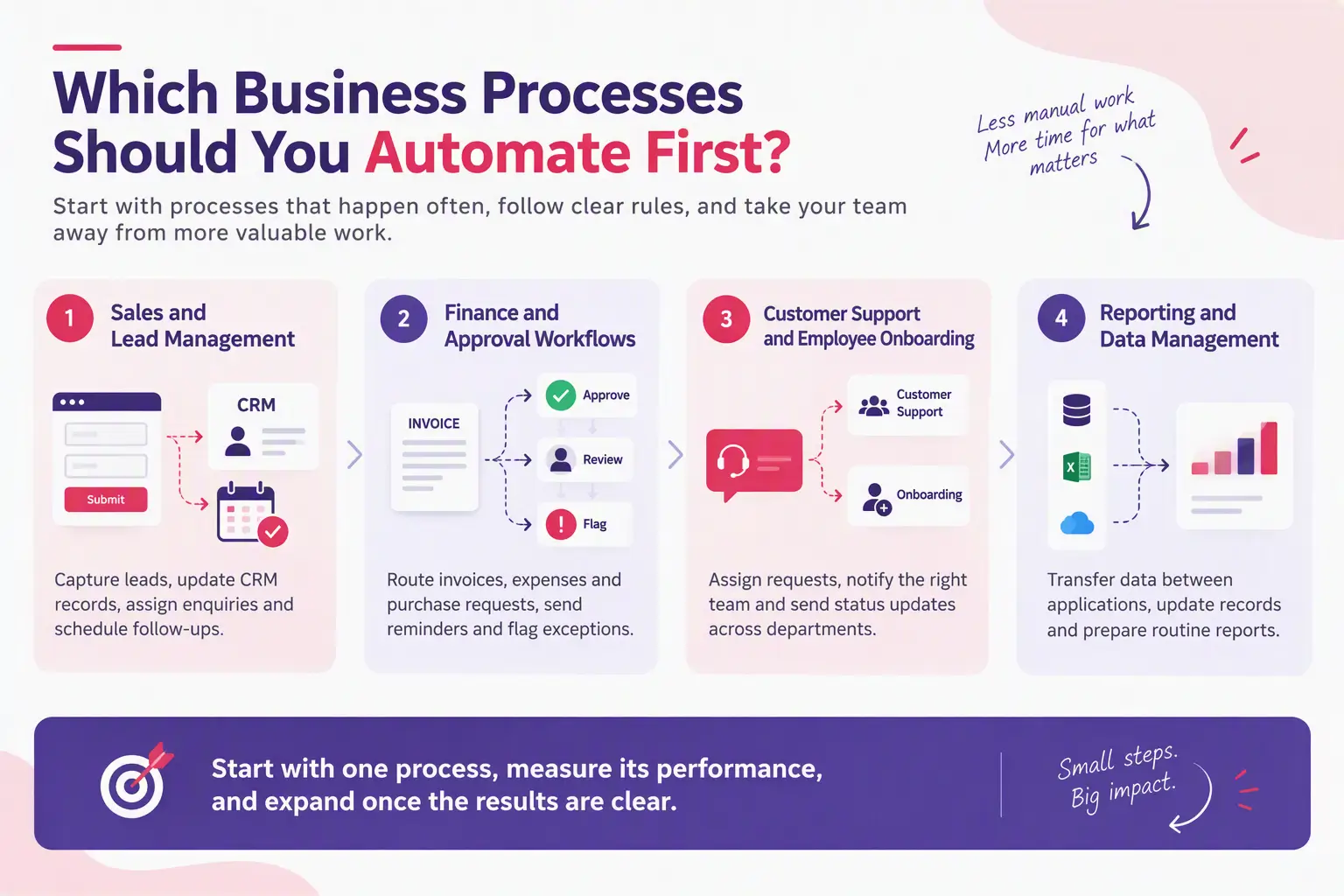
The best starting point is usually a process that happens often, follows clear rules, and takes employees away from more valuable work.
Sales teams can use business workflow automation to capture website leads, update CRM records, assign enquiries, and schedule follow-ups. This reduces the risk of losing potential customers because someone forgot to update a spreadsheet or send a reminder. For a structured approach to qualifying the leads you capture, follow our 4-step lead qualification guide.
Automated approval workflows can route invoices, expenses, and purchase requests to the right person. Reminders can be sent when an approval is overdue, while exceptions can be flagged for review.
Financial decisions should still follow the company’s approval rules. Automation should make the process easier to track, not remove important controls.
Customer support workflows can assign incoming requests, notify the right team, and send status updates. HR workflows can coordinate onboarding forms, account requests, and internal approvals. For customer-facing automation, explore the role of chatbots in customer service.
These are practical examples of automated business processes that can reduce delays across departments.
Workflow automation tools can transfer data between applications, update records, and prepare routine reports. This is useful when employees spend hours copying information from one system to another. Similar automation principles apply to inventory — see how machine learning is optimizing inventory management.
Start with one process, measure its current performance, and expand only after the results are clear.
Choosing a provider is one of the most important parts of an automation project. A low initial price may not represent good value if the solution requires constant fixes or cannot connect with your current software.
Use the following checks when comparing workflow automation consulting services.
Ask whether the provider has handled processes similar to yours. Relevant experience matters more than a long list of tools.
Request examples that explain the original problem, the solution, the systems involved, and the outcome. If exact figures are confidential, a provider should still be able to describe the project and its results clearly.
Your business may already use a CRM, accounting platform, ERP, project management system, or customer support tool. The provider should explain how the proposed workflow will connect these applications.
Ask about API access, data synchronization, integration limits, and what happens when a connection fails.
Off-the-shelf tools may be enough for simple tasks. Custom workflow automation can be a better fit when your processes involve unusual business rules, legacy software, or multiple systems that do not connect easily. It’s also worth understanding why no-code is not a solution for your app development when requirements grow complex.
Before sharing business or customer information, ask how the provider handles access controls, data storage, backups, logs, and sensitive information.If your workflows handle regulated data, review our HIPAA and PIPEDA compliance checklist for software.
Confirm who owns the workflow configuration, custom code, and documentation. Also ask how access will be transferred if you change providers.
An automation project does not always end at launch. Software updates, changed business rules, expired credentials, and API changes can interrupt workflows.
A reliable workflow automation service provider should explain how failures are monitored, who fixes issues, what support is included, and whether additional maintenance fees apply.
There is no single price for workflow automation services. The cost depends on the number of workflows, the complexity of the business rules, the systems involved, and the level of ongoing support.
Common cost factors include:
A simple workflow that sends notifications may cost far less to implement than a multi-step process involving several applications, complex approvals, and sensitive customer data.
When comparing workflow automation services pricing, ask each provider to separate one-time implementation costs from recurring fees. Request a clear scope, assumptions, exclusions, and a process for approving changes.
Use a simple calculation to assess whether an automation project is worth the investment.
Annual time savings = Hours saved per week × Working weeks per year × Hourly staff cost
For example, suppose a team spends 10 hours each week on a repetitive process. If automation reduces that work by 6 hours, across 48 working weeks, the team saves 288 hours a year.
At an estimated staff cost of $30 per hour, that represents $8,640 in annual time savings.
This is an illustrative estimate, not a guaranteed financial return. It does not include implementation costs, software fees, or other benefits such as fewer errors and faster customer responses.
To calculate net financial benefit, subtract annual operating costs and the relevant implementation cost from the value of the time saved and other measurable gains. Use realistic estimates rather than assuming every saved hour becomes a direct cash saving.
Workflow automation software, low-code platforms, and no-code workflow automation tools can be useful when tasks follow simple rules and the required integrations are available. For rule-based, repetitive tasks, robotic process automation (RPA) may also be worth exploring.
Custom workflow automation services may be more suitable when a business needs specialized logic, deeper integration, greater control over the user experience, or support for older systems.
AI workflow automation services can add value when a process involves classifying documents, interpreting customer messages, or working with unstructured information. However, AI outputs can be wrong, so important decisions may require human review. For a broader view of AI integration, see our guide on integrating artificial intelligence into mobile applications.
The best option depends on the process, not on which technology sounds most advanced. A basic automated workflow may solve the problem more reliably than an unnecessarily complex AI system.
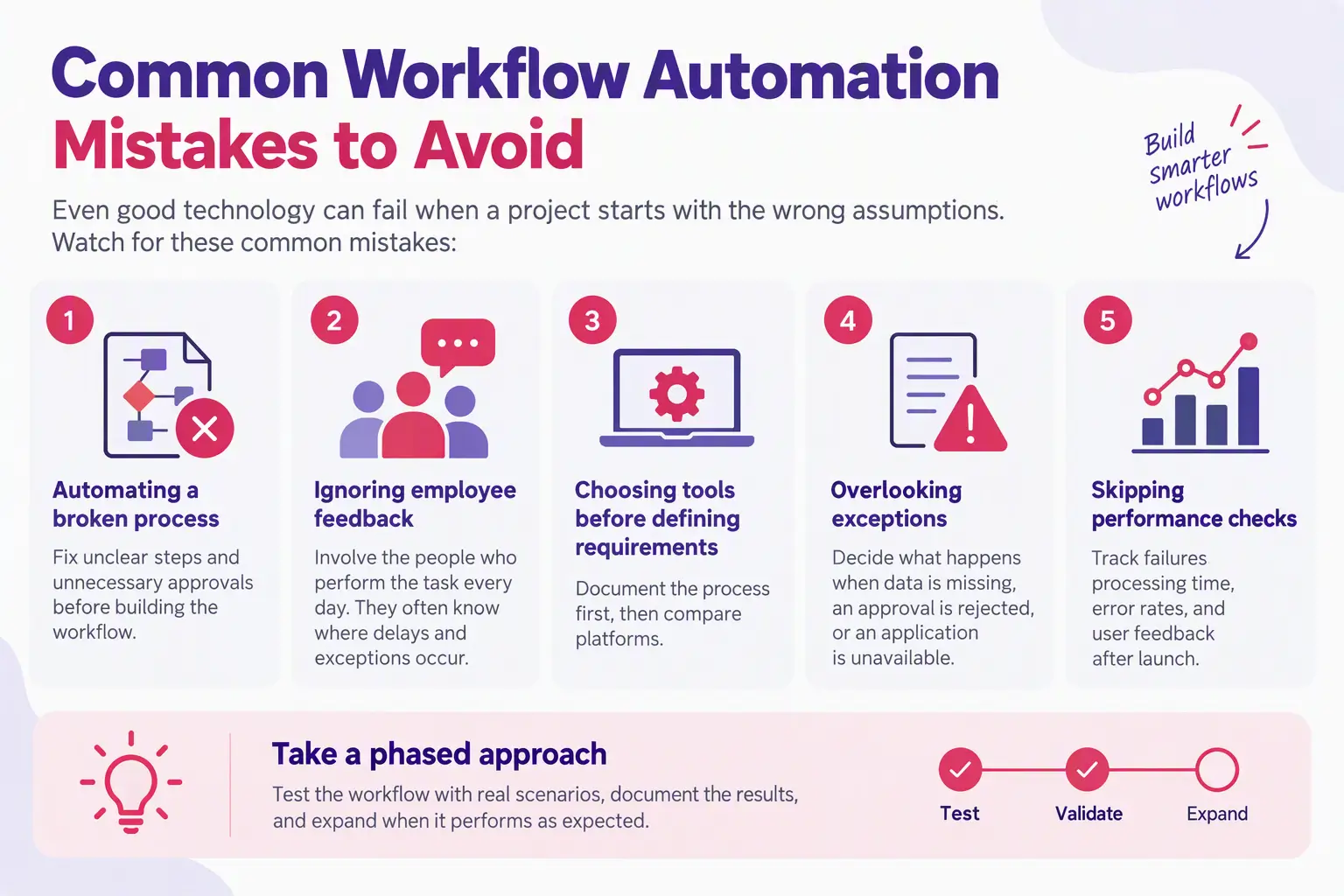
Even good technology can fail when a project starts with the wrong assumptions. Watch for these common mistakes:
A phased implementation is often safer than changing several critical business processes at once. Test the workflow with real scenarios, document the results, and expand when it performs as expected.
Before signing an agreement with a workflow automation company, make sure you can answer these questions:
If a provider cannot answer these questions clearly, ask for more detail before committing.
The best workflow automation services do more than connect applications. They solve a real business problem, reduce unnecessary work, improve the flow of information, and give your team more time to focus on customers and growth. For customer-facing teams, integrating CRM with marketing automation can further improve the customer experience.
Before choosing a provider, identify your most time-consuming process, measure how it works today, and define what success should look like. Compare implementation costs, software compatibility, security, support, and expected ROI before making a decision.
My recommendation is to start with one high-impact workflow rather than automate everything at once. A well-planned pilot makes it easier to measure results, address problems early, and build a stronger case for further investment.
At Let’s Nurture, we help businesses reduce manual work, connect existing applications, and improve day-to-day operations with Workflow Automation Services.