


ai-workflow-automation-services-how-to-choose

AI Workflow Automation Services: How to Choose

04 Aug. 26
9 VIEWS

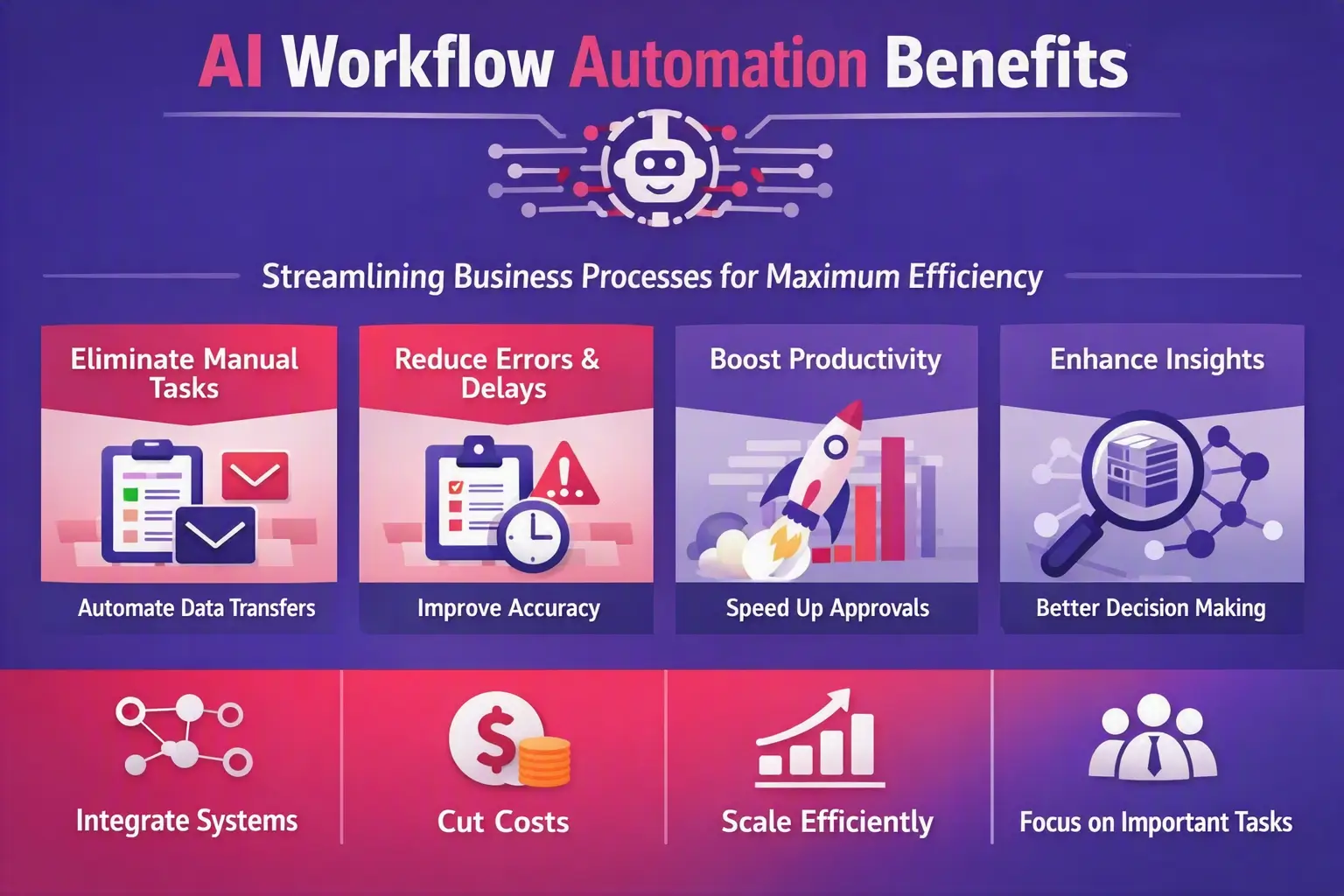
AI Workflow Automation Services help businesses reduce repetitive work, connect systems, improve productivity, and streamline complex processes. But choosing the right provider requires more than comparing prices or counting AI features.

The right partner should understand your business processes, integrate with your existing technology, protect your data, handle exceptions, scale with your growth, and prove that automation delivers measurable business value.

How Do You Choose AI Workflow Automation Services?

Choose AI Workflow Automation Services by evaluating a provider’s process expertise, AI capabilities, integrations, customization, security, scalability, implementation methodology, monitoring, support, and measurable ROI.

The best provider should first understand your existing workflow, identify where automation can create the most value, recommend the right combination of AI, APIs, RPA, rules, and human approvals, and then build a solution that can be monitored and improved over time.

In other words, don’t choose an automation provider because it has the most AI tools. Choose one that can solve your specific business problem reliably and profitably.

What Are AI Workflow Automation Services?

AI workflow automation combines artificial intelligence with business workflows to automate tasks that traditionally require manual effort.

Unlike simple rule-based automation, AI can work with information such as documents, emails, conversations, images, text, and other unstructured data.

For example, an automated workflow could:

  1. Receive an incoming document.
  2. Extract important information using AI.
  3. Validate the information against business rules.
  4. Update a CRM or ERP system.
  5. Route the request to the appropriate employee.
  6. Request human approval when necessary.
  7. Notify the customer.
  8. Record the activity for reporting and auditing.

AI Workflow Automation Services can include AI business process automation, document processing, data extraction, email automation, CRM automation, customer support automation, RPA, AI agents, API integrations, and workflow orchestration. For a deeper look into what RPA entails, check out our article on what you need to know about Robotic Process Automation (RPA).

The objective is not simply to “add AI.” The objective is to make business processes faster, more accurate, scalable, and easier to manage.

Why Businesses Need AI Workflow Automation Services

Many organizations still move information manually between emails, spreadsheets, CRM platforms, accounting systems, databases, helpdesks, and other applications.

That creates hidden costs.

Common problems include:

  • Repetitive data entry
  • Slow approvals
  • Manual document processing
  • Duplicate data
  • Human errors
  • Missed leads
  • Slow customer responses
  • Disconnected systems
  • High administrative costs
  • Difficulty scaling operations
  • Employees spending time on low-value tasks

AI workflow automation can connect these processes so information moves automatically between systems while employees remain involved where human judgment is required.

Choosing the right provider for AI workflow automation services

How to Choose AI Workflow Automation Services: 12 Things to Check

1. Start With a Workflow Audit

Before discussing AI tools, ask the provider to understand how your business works today.

A good provider should examine:

  • Current workflow steps
  • Manual tasks
  • Software and systems involved
  • Data movement
  • Approval requirements
  • Bottlenecks
  • Error-prone activities
  • Exceptions
  • Compliance requirements
  • Expected business outcomes

This is important because automating an inefficient process can simply make an inefficient process run faster.

Ask:

  • Which process should we automate first?
  • What should remain manual?
  • Where are our biggest bottlenecks?
  • What measurable improvement should we expect?

2. Check the Provider’s AI and Automation Expertise

Your provider should understand more than one automation approach.

Depending on the workflow, the solution may require:

  • Traditional workflow automation
  • AI-powered automation
  • RPA
  • Generative AI
  • AI agents
  • Natural language processing
  • Document intelligence
  • API integrations
  • Business rules
  • Human-in-the-loop workflows

A simple approval process may not need an AI agent. A document-processing workflow may benefit from AI, while a legacy application may require RPA.

The provider should explain why a specific technology is appropriate rather than forcing AI into every process.

3. Evaluate Integration Capabilities

Most businesses already have a technology stack.

Your automation should work with your existing systems whenever practical.

Ask whether the provider has experience integrating:

  • CRM platforms
  • ERP systems
  • Accounting software
  • E-commerce platforms
  • HR systems
  • Helpdesk software
  • Databases
  • Cloud platforms
  • Email systems
  • Payment platforms
  • Internal applications
  • Third-party APIs

Strong integration capabilities reduce duplicate data entry and help information move consistently across departments.

4. Ask About Customization

Pre-built automation can work well for straightforward processes. Complex organizations often require custom AI workflow automation.

Custom solutions may include:

  • Business rules
  • AI models
  • Approval workflows
  • User permissions
  • Custom APIs
  • Notifications
  • Exception handling
  • Reporting dashboards
  • Data validation
  • Custom AI agents

Ask whether the provider can modify the workflow when your business changes.

A good automation partner should build around your process rather than forcing your business to adapt to a rigid template.

5. Understand AI Model Selection

AI models can differ in cost, speed, accuracy, capabilities, and suitability for specific tasks.

Ask your provider:

  • Which AI models will be used?
  • Why were they selected?
  • Can different models be used for different tasks?
  • How will AI usage costs be controlled?
  • What happens if the selected model changes?
  • Can the system switch models if requirements change?

A strong provider should think about the long-term AI architecture rather than building a workflow that becomes expensive or difficult to maintain.

6. Evaluate Security, Privacy and Governance

AI workflows may process customer information, financial records, contracts, employee information, or confidential business data.

Ask about:

  • Encryption
  • Authentication
  • Role-based access
  • API security
  • Data storage
  • Data retention
  • Access controls
  • Backup procedures
  • Monitoring
  • Audit logs
  • Incident response
  • Disaster recovery

For enterprise workflows, governance is particularly important. You should know who can access data, what actions the automation performed, and when those actions occurred. For businesses in regulated sectors, understanding compliance is key; explore our guide on understanding HIPAA and PIPEDA compliance for software.

7. Ask How Human Oversight Works

AI should not necessarily make every decision independently.

For high-risk or uncertain situations, the workflow may need human approval.

Ask:

  • What happens when AI is uncertain?
  • Can employees review AI-generated results?
  • Can a workflow pause for approval?
  • How are exceptions handled?
  • Can employees override an automated decision?
  • Are human actions recorded?

Human-in-the-loop automation can provide a practical balance between efficiency and control.

8. Check Monitoring and Observability

Launching an automation is not the end of the project.

You need to know whether workflows are actually working after deployment.

Ask whether the provider provides:

  • Workflow monitoring
  • Error alerts
  • Performance dashboards
  • Execution history
  • Audit trails
  • Failed-task notifications
  • AI output monitoring
  • Usage tracking
  • Performance reporting

Without monitoring, a workflow can fail silently and create new operational problems.

9. Calculate Total Cost of Ownership

Don’t evaluate providers only by their implementation quote.

Your total cost may include:

  • Discovery and consulting
  • Development
  • AI/API usage
  • Software licenses
  • Cloud hosting
  • Infrastructure
  • Data processing
  • Maintenance
  • Monitoring
  • Support
  • Security
  • Future integrations
  • Workflow changes

Ask the provider to estimate costs at different volumes.

For example, compare expected costs at today’s workload and at 2x or 5x your expected future volume.

This can reveal whether an apparently inexpensive solution will become expensive as your business grows.

10. Request a Pilot or Proof of Concept

Before committing to a large automation project, consider testing one high-value workflow.

A pilot can help you evaluate:

  • Technical feasibility
  • Integration quality
  • AI accuracy
  • Processing speed
  • Exception handling
  • User experience
  • Security
  • Expected ROI

The pilot should have clear success criteria.

For example:

Current process: 4 hours of manual work per day
Target: Reduce manual effort by 60%
Measurement: Processing time, error rate, and number of manual interventions

A successful pilot gives you evidence before you scale automation across departments.

11. Check Scalability and Long-Term Support

A workflow that works for 100 transactions may behave differently at 10,000 transactions.

Ask how the solution will handle:

  • More users
  • More transactions
  • More data
  • Additional departments
  • Additional integrations
  • Increased AI usage
  • New business rules

Also ask what happens after launch.

Reliable AI Workflow Automation Services should include appropriate testing, deployment, monitoring, maintenance, updates, and support.

12. Check Data Ownership and Vendor Lock-In

This is often overlooked when selecting an automation partner.

Ask:

  • Who owns the workflow configuration?
  • Who owns the data?
  • Can we export our data?
  • Can we migrate the workflow later?
  • What happens if we change providers?
  • Are we dependent on one AI model or platform?
  • What documentation will we receive?

A provider should make the long-term ownership model clear before development begins.

Questions to Ask an AI Workflow Automation Provider

Before signing a contract, ask:

  1. Have you automated a workflow similar to ours?
  2. Can you perform a workflow/process assessment?
  3. Which processes would you automate first?
  4. What technology would you use and why?
  5. Which systems can you integrate?
  6. How will you handle exceptions?
  7. Where will human approval be required?
  8. How will you secure our data?
  9. How will AI usage and infrastructure costs scale?
  10. How will the workflow be monitored?
  11. What happens when automation fails?
  12. What support is included after launch?
  13. Can you provide a pilot or proof of concept?
  14. How will ROI be measured?
  15. Who owns the data and automation?
  16. What happens if we want to change providers?

A provider that struggles to answer these questions clearly may not be ready to manage a production automation environment.

What Makes a Good AI Workflow Automation Company?

A good AI workflow automation company combines business understanding with technical expertise.

It should be able to explain:

  • What should be automated
  • What should remain manual
  • Which technology should be used
  • Which systems need integration
  • How exceptions will be handled
  • How data will be protected
  • How the solution will be monitored
  • How costs will scale
  • How success will be measured

The best partner is not necessarily the company offering the most complicated AI architecture.

It is the company that can build the simplest reliable solution that produces the desired business outcome.

How Much Do AI Workflow Automation Services Cost?

There is no single price for AI Workflow Automation Services because costs depend on the complexity of the workflow.

Pricing can be influenced by:

  • Number of workflows
  • Number of integrations
  • AI model requirements
  • Data volume
  • API usage
  • Custom development
  • Security requirements
  • Cloud infrastructure
  • User volume
  • Monitoring
  • Maintenance
  • Ongoing support

Instead of asking only, “How much does automation cost?”, ask:

“How much will this automation cost compared with the manual process it replaces or improves?”

For example, if employees spend hundreds of hours each month performing repetitive tasks, the potential ROI may come from reducing that manual workload, accelerating processing, reducing errors, or increasing capacity.

AI Workflow Automation Services for Different Business Needs

Different organizations need different levels of automation.

Small Businesses

AI workflow automation services for small businesses may focus on:

  • Lead follow-up
  • Email automation
  • Appointment workflows
  • Document processing
  • Customer communications
  • Administrative tasks

Growing Businesses

Growing companies may need automation across:

  • Sales
  • CRM
  • Customer support
  • Finance
  • Operations
  • Marketing
  • HR

Enterprises

Enterprise AI workflow automation services may require:

  • Advanced permissions
  • Multi-system orchestration
  • Audit logs
  • Governance
  • Security controls
  • Monitoring
  • Disaster recovery
  • Scalable infrastructure
  • Multiple departments and workflows

Common AI Workflow Automation Use Cases

AI workflow automation can be applied to many business processes, including:

  • Lead qualification and routing
  • CRM data updates
  • Invoice processing
  • Document extraction
  • Customer support ticket classification
  • Email classification
  • Employee onboarding
  • HR request processing
  • Sales follow-up
  • Order processing
  • Reporting automation
  • Approval workflows
  • Data synchronization
  • Knowledge management
  • Internal request management

The right use case is one where automation can produce a measurable improvement rather than simply adding another technology layer.

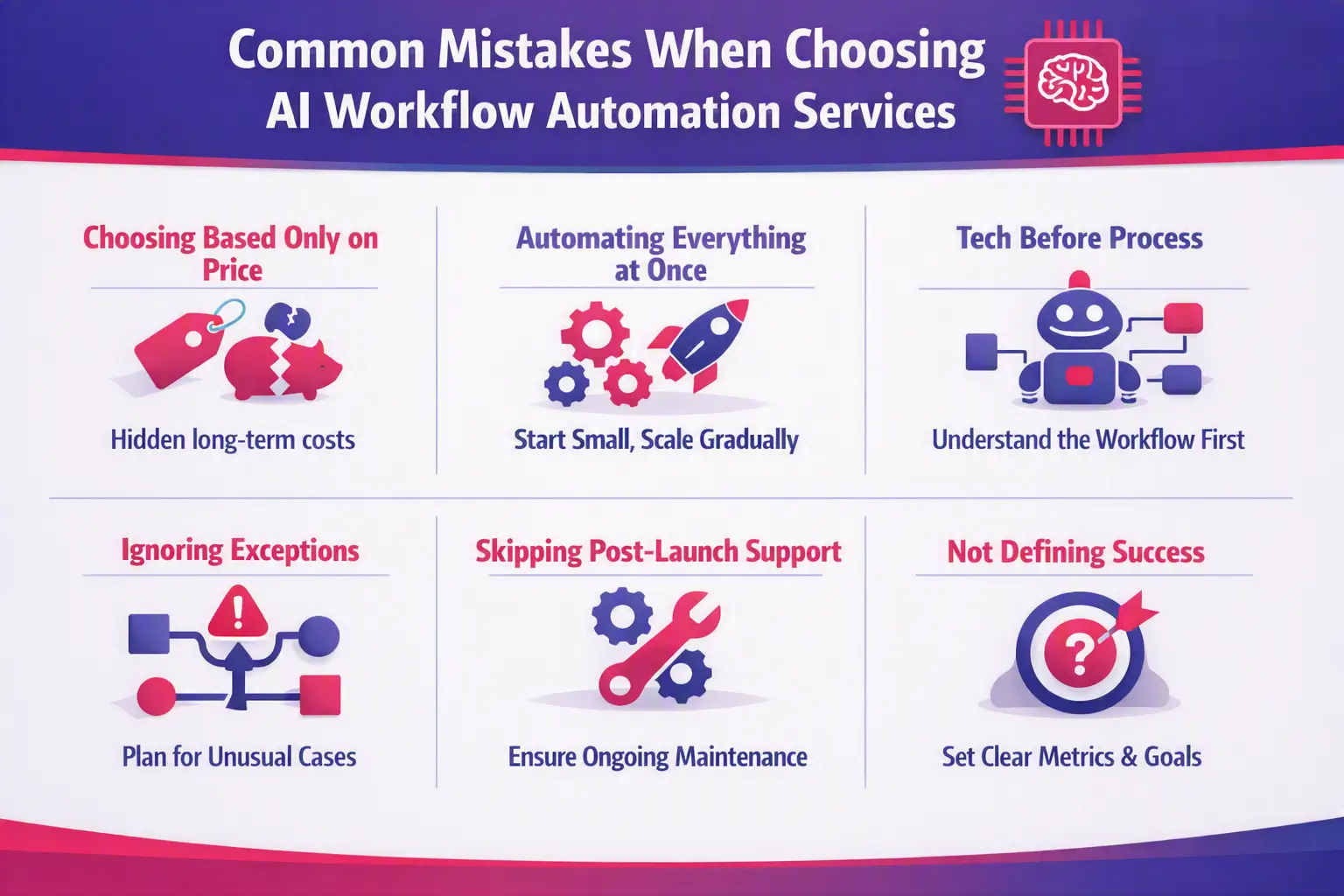
Common Mistakes When Choosing AI Workflow Automation Services

1. Choosing Based Only on Price

The cheapest solution may not be the cheapest long-term solution.

Integration problems, maintenance, failures, and poor scalability can increase the actual cost.

2. Automating Everything at Once

Start with one or two high-value processes. Prove the results and expand gradually.

3. Choosing Technology Before Understanding the Process

A provider should understand the workflow before recommending an AI model, RPA platform, or automation tool.

4. Ignoring Exceptions

Real business processes rarely follow one perfect path.

Your automation should account for unusual cases, missing information, failed integrations, and human approvals.

5. Ignoring Post-Launch Support

AI models, APIs, software platforms, business rules, and data can change.

Your automation needs ongoing monitoring and maintenance.

6. Not Defining Success

If you cannot measure the improvement, it becomes difficult to determine whether the automation was worth the investment.

Key factors to evaluate when selecting AI workflow automation services

Red Flags When Choosing an AI Automation Provider

Be cautious if a provider:

  • Talks only about AI tools and not your business process
  • Promises 100% automation without discussing exceptions
  • Cannot explain security clearly
  • Has no monitoring strategy
  • Cannot provide relevant examples
  • Avoids discussing total costs
  • Has no clear implementation methodology
  • Offers no post-launch support
  • Cannot explain how ROI will be measured
  • Pushes a specific technology without understanding your requirements

A trustworthy provider should be willing to discuss limitations as well as capabilities.

AI Workflow Automation Provider Comparison Checklist

Use this checklist when comparing providers:

Evaluation AreaWhat to Check
Business UnderstandingUnderstands your process and goals
AI ExpertiseUses AI only where it adds value
IntegrationsConnects your existing systems
CustomizationCan adapt workflows to your requirements
SecurityProtects business and customer data
GovernanceProvides permissions and auditability
Human OversightSupports approvals and exceptions
MonitoringTracks workflow and AI performance
ScalabilityHandles increased workload
TCOClearly explains long-term costs
PilotOffers practical validation
SupportProvides post-launch maintenance
Data OwnershipClearly defines ownership and portability
ROIMeasures business outcomes


You can also score each provider from 1 to 5 in every category and compare the total rather than relying on sales presentations alone.

When Should You Hire AI Workflow Automation Services?

Consider professional AI Workflow Automation Services when:

  • Employees spend significant time on repetitive work.
  • Multiple systems need to exchange information.
  • Manual errors are affecting operations.
  • Lead follow-up is too slow.
  • Document processing takes too much time.
  • Customer support teams handle repetitive requests.
  • Your business is growing faster than your manual processes.
  • Existing no-code automation tools are no longer sufficient.
  • You need custom integrations.
  • You need enterprise-level security or governance.
  • Your internal team does not have the required automation expertise.

If you are looking to automate customer interactions specifically, understanding how to scale your business with AI chatbots can be a great starting point.

Conclusion:

The right AI Workflow Automation Services provider should do much more than automate repetitive tasks.

Understanding AI Workflow Automation vs Traditional Automation can help you choose the right approach for your business. The right solution should help you understand your existing processes, identify high-value automation opportunities, combine AI with traditional automation where appropriate, connect your existing systems, protect your data, manage exceptions, monitor performance, and continuously improve your workflows.

The safest approach is to start with one high-value workflow, define clear success metrics, validate the solution through a pilot, and then expand automation based on proven results. You can learn more about how we approach this journey from initial experimentation to full-scale execution in our detailed guide on AI workflow automation: from experiment to execution.

If repetitive work is slowing your team down, Let’s Nurture can help assess your existing business processes, identify practical automation opportunities, and build AI-powered workflows around your specific requirements.

Contact us

Start with the process — not the technology — and choose an automation partner that can support your business from discovery through implementation and beyond.