

Contact us
If your Halifax business needs a modern website but you are concerned about losing existing Google rankings, traffic, or SEO value, Let’s Nurture can help plan a redesign around both performance and search visibility.

A Web Designer Halifax can redesign your website without sacrificing valuable Google rankings. The key is protecting existing SEO assets while improving your site’s design, performance, mobile experience, and ability to generate leads.
Yes, you can redesign a website without losing SEO. The safest approach is to preserve high-performing URLs and content, create relevant 301 redirects for changed URLs, maintain internal links and metadata, and check indexing, traffic, and rankings before and after launch. A planned SEO website redesign protects existing search value while creating a better website.
Yes, but usually because important SEO elements are changed or removed without a proper plan.
A new design itself does not cause a ranking drop. Problems often happen when a business launches a new website and discovers that old pages were deleted, URLs changed, content was removed, redirects were missed, or search engines can no longer crawl important pages.
A proper SEO website redesign should protect the site’s existing search value before the new design goes live.
For example, if an old service page receives steady organic traffic, removing it simply because it does not fit the new navigation could cost valuable leads. The better approach is to review its performance, improve the page if needed, and keep a relevant URL or create a proper redirect.
Google needs to understand what changed and where the old content went. If the new website keeps a clear website structure, relevant content, strong internal links, and correct redirects, search engines have a much easier time processing the changes.
A successful website redesign strategy should therefore include SEO from the first planning meeting, not after development is finished.
If you are asking, “How do I redesign my website without losing SEO?”, start with the existing website.
Do not begin by choosing colours, layouts, or animations. First, find out which pages, keywords, links, and content already bring value.
Create a list of the current URLs before development begins. This is one of the simplest ways to protect website migration SEO.
Review:
This list becomes your reference when the new website is built.
A redesign should not automatically remove older pages.
Use Google Analytics and Google Search Console to identify pages that receive search traffic, impressions, clicks, and conversions. Also check pages that have strong backlinks.
A page may not look important from a design point of view, but it could be one of the reasons the website ranks well.
This is a key part of how to preserve SEO during a website redesign.
One of the biggest technical risks during a redesign is changing URLs without creating redirects.
For example:
/web-design could become: /website-design-halifax
If the old URL has search visibility or backlinks, set up a relevant 301 redirect from the old page to the new one.
Do not redirect every old page to the homepage. Each redirect should lead visitors and search engines to the closest relevant replacement.
This is an important part of website SEO migration and should be planned before launch.
A common redesign mistake is cutting content because the new design looks cleaner with fewer words.
Good design and useful content can work together.
Review existing pages and ask:
Keep content that works and improve weak sections where needed.
This helps create an SEO-friendly website redesign rather than a website that only looks good.
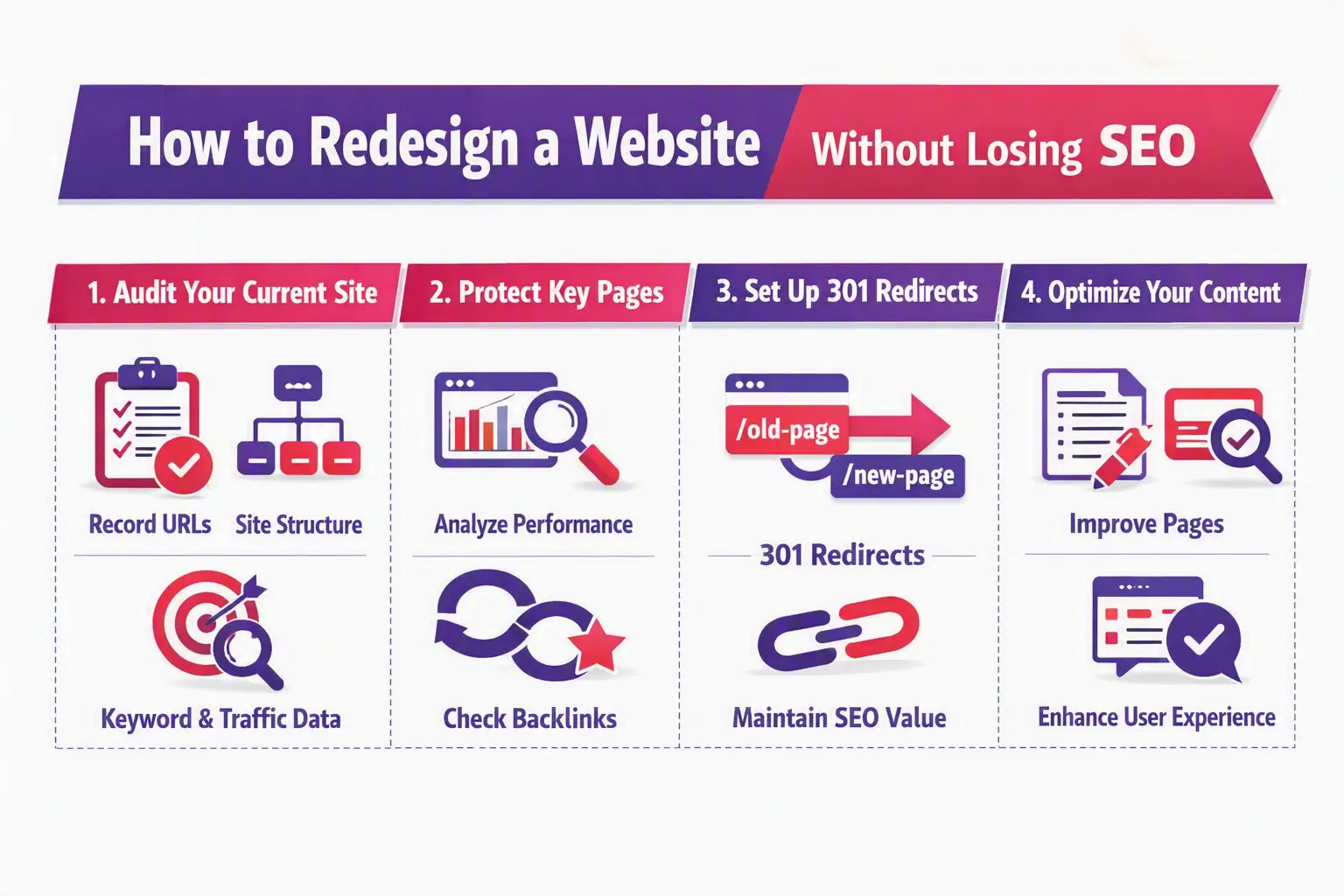
Before launching a redesigned website, use this simple website redesign SEO checklist.
Check the new website’s:
Open Google Search Console and monitor:
Then compare the results with your pre-launch data.
This process gives you a much better chance to maintain Google rankings after redesign.
There is no single trick that guarantees rankings will never change. Google rankings can move for many reasons, including competition and algorithm updates.
However, you can reduce unnecessary SEO losses by protecting the things that already work.
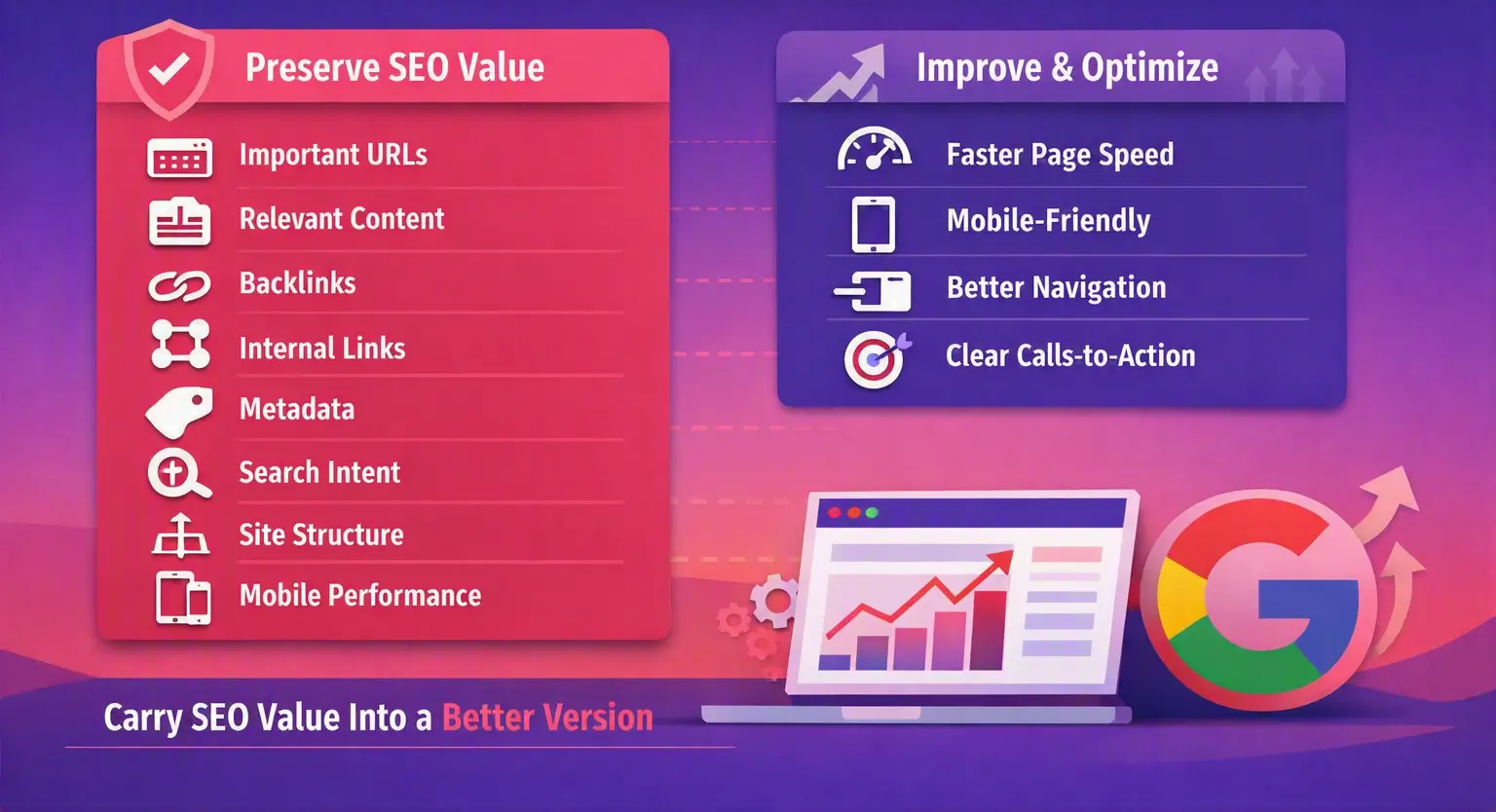
A strong redesign should preserve:
At the same time, improve areas that may be holding the old website back.
For example, better page speed, mobile responsiveness, navigation, and clearer calls to action can help create a better experience for visitors.
The best website redesign and SEO approach is not about copying the old website. It is about carrying its SEO value into a better version.
A final SEO review should happen before the new website becomes public.
Test important old URLs and make sure their 301 redirects work correctly. Check the new website for broken links and make sure internal links point to the correct pages.
Review title tags, meta descriptions, canonical tags, robots.txt, and indexability settings.
A common mistake is leaving a staging website’s “noindex” setting on the live website. If important pages cannot be indexed, they may disappear from search results.
Your new website should work properly on phones and tablets. Test navigation, buttons, forms, images, and page loading.
Also review Core Web Vitals and page speed. A visually impressive website is not useful if customers leave because it takes too long to load.
Make sure your site is designed with a mobile-first approach to avoid losing visitors on smaller screens.
A website migration should be treated as a controlled SEO project.
First, map old URLs to their new destinations. Then set up relevant 301 redirects and test them. Preserve important content and backlinks where possible.
After launch, submit the updated XML sitemap through Google Search Console and watch for indexing problems.
If rankings move slightly after a major change, do not make random edits every day. Compare the new website with your original data and look for specific problems such as missing pages, incorrect redirects, blocked crawling, or removed content.
This is why businesses looking for a Halifax web designer for website migration should ask how SEO will be handled before signing off on the project.
Choosing a Web Designer Halifax provider should not be based only on portfolio images or the lowest price.
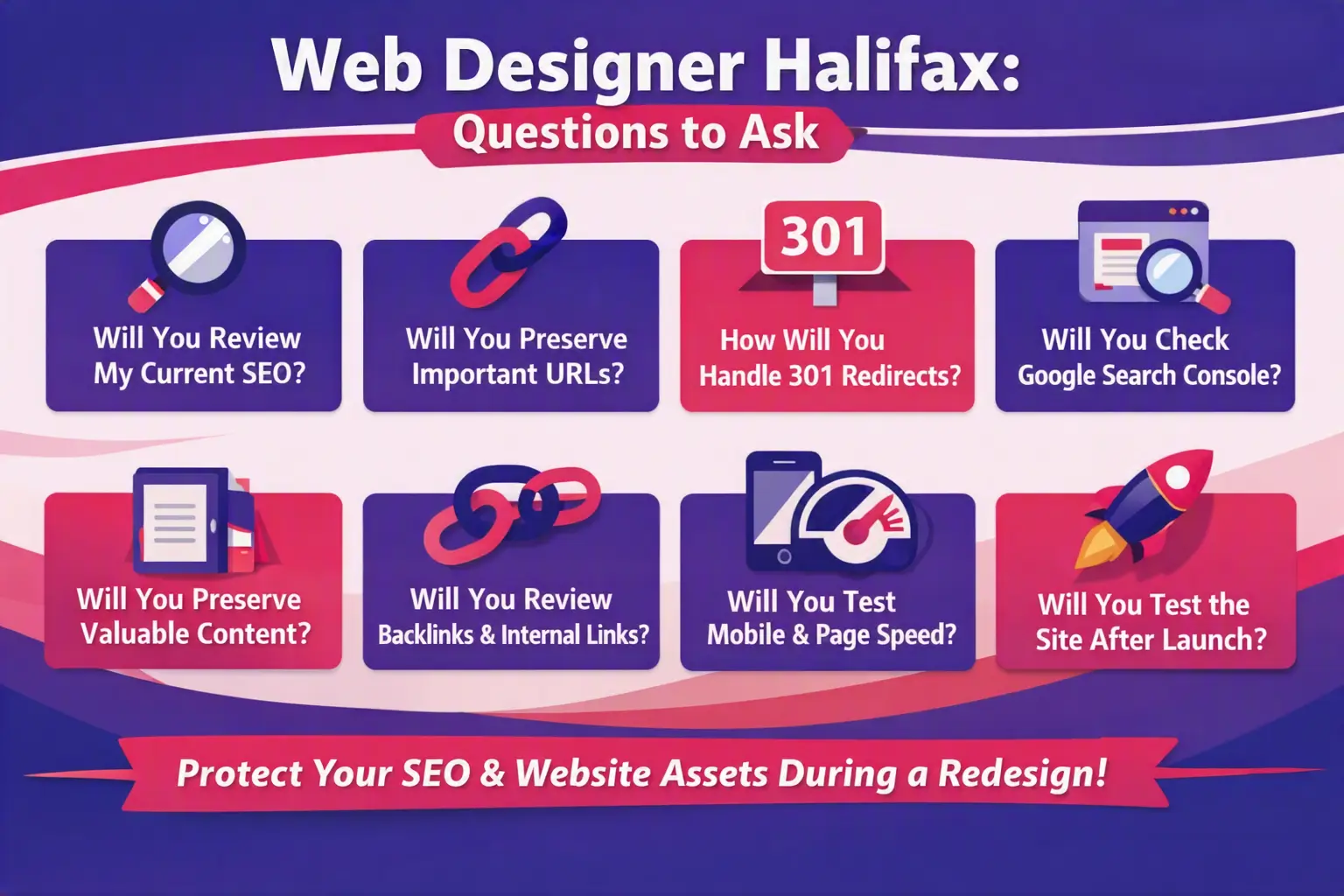
Ask how the company will protect your current SEO.
Before hiring a professional web designer Halifax businesses can rely on, ask:
A web designer for website redesign should understand that your website is more than a collection of pages. It is an asset that may have taken years to build.
There is no single price for a website redesign.
The cost depends on the number of pages, design requirements, content work, custom development, integrations, ecommerce features, SEO work, and whether URLs need to be migrated.
An affordable web designer option may be suitable for a small website, while a larger business may need a more detailed website development and SEO plan.
Instead of choosing based only on price, compare what is included. A cheaper redesign that causes lost traffic or broken pages can become much more expensive later.
Yes. A redesign can be an opportunity to fix problems that have been limiting the old website.
A well-planned SEO-friendly website redesign Halifax businesses can benefit from may improve:
The goal is not simply to make the website newer. It is to make it easier for people to use and easier for search engines to understand.
That is where web design Halifax and search engine optimization should work together.
A website redesign should not mean starting your SEO from zero.
If your existing website has valuable pages, rankings, backlinks, and organic traffic, protect those assets before making major changes. Record your URLs, review your search data, preserve useful content, create relevant 301 redirects, check internal links, and test indexability before launch.
After the redesign, use Google Search Console and analytics tracking to monitor what happens. Look for real problems rather than reacting to every small ranking change.
My expert advice is simple: do not separate website design from SEO when planning a redesign. Your designer and developer should know what pages already perform well and have a clear plan for protecting them.
Whether you need website redesign services Halifax, a website design company Halifax, or a complete website development solution, choose a team that understands both your customers and search engines.
If your Halifax business needs a modern website but you are concerned about losing existing Google rankings, traffic, or SEO value, Let’s Nurture can help plan a redesign around both performance and search visibility.